
Marketplace includes a secondary market where customers can list NFTs for sale, browse NFTs that are listed for sale, and transact with each other.
In order to buy or sell NFTs on the secondary market, you must be a verified DraftKings customer. You can verify your account through the Scan ID prompt you will receive upon attempting to buy or sell on the secondary market or via our upload center.
To verify in the upload center:
- Take a picture of your ID.
- Note: An ID can include a Driver's License, Passport, or other Government-Issued ID.
Upon submitting your ID via the process above, your account will be automatically verified after passing the Scan ID prompt or upload. If you experience an issue with automatically verifying your account for Marketplace, please reach out to the DraftKings Customer Support team who will work through manually verifying your account. It can take up to 48 hours to process the verification. Sending additional messages to Customer Support during this time may delay your approval time.
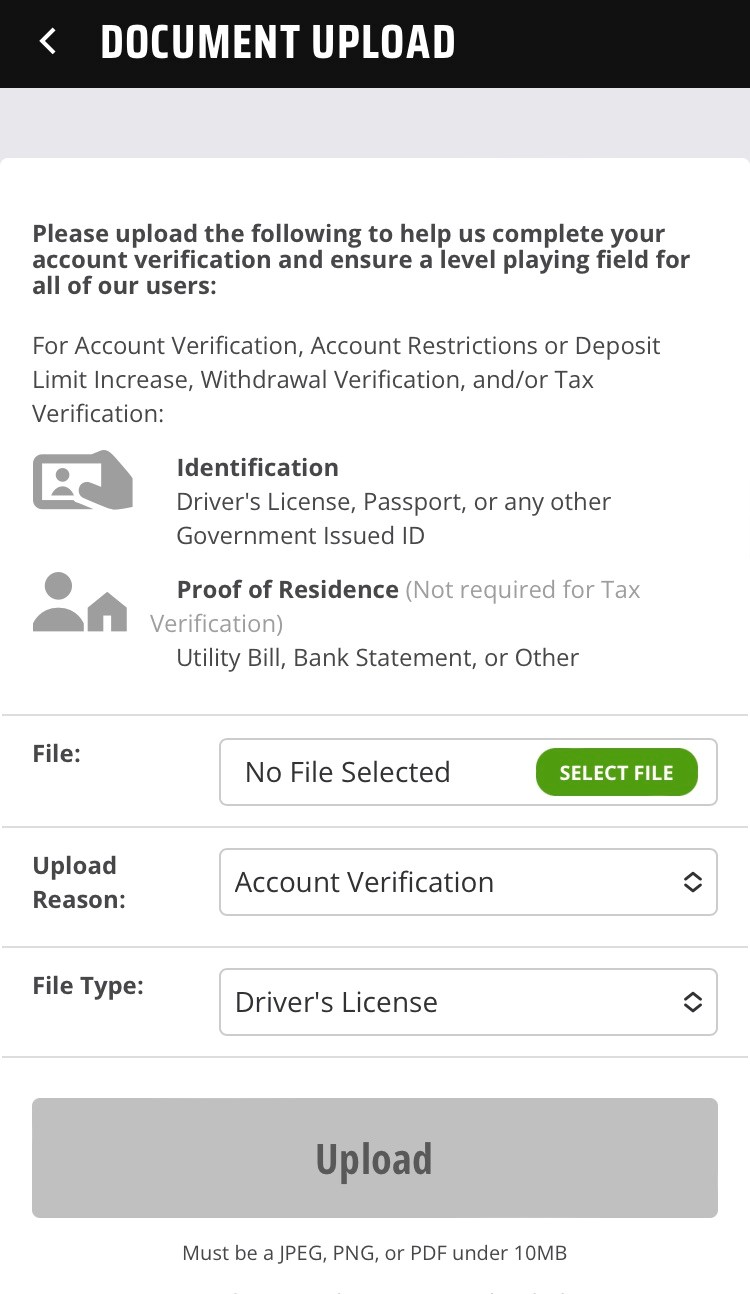
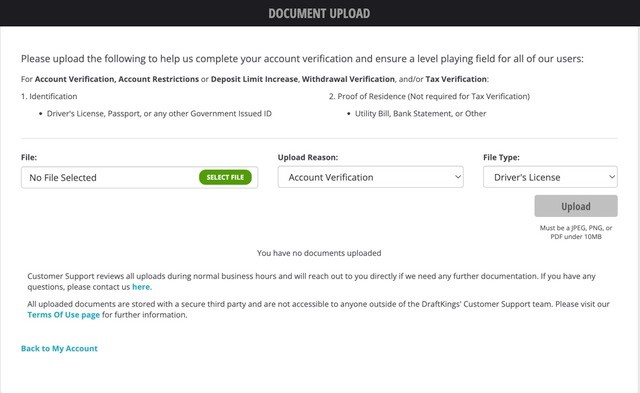
The below screenshots show what the UPLOAD DOCUMENT page looks like on both the DraftKings App and DraftKings website.
DraftKings App:
DraftKings website:
Notes:
- To help ensure our customers have the best possible experience on DraftKings Marketplace, all customers must verify their account with a valid form of identification before transacting on the secondary market.
- As soon as an NFT is listed for sale on the secondary market, it is available to any verified customer for purchase.
Comments
0 comments
Article is closed for comments.